Guide
Photo tips for better wheel previews
The right photo makes all the difference. Here's how to capture your car for the most realistic wheel visualization results.
Camera position
Best angles for wheel shots
Side profile (best)
RecommendedStand parallel to the car, centered on the front wheel. This gives the AI the clearest view for accurate wheel placement.
3/4 front angle
Slightly angled view showing front and side. Works well and shows more of the car's character.
3/4 rear angle
Similar angle from behind. Good for showing rear wheel and body lines together.
Direct front/rear
Straight-on shots work but show less wheel context. Use if it's your only option.
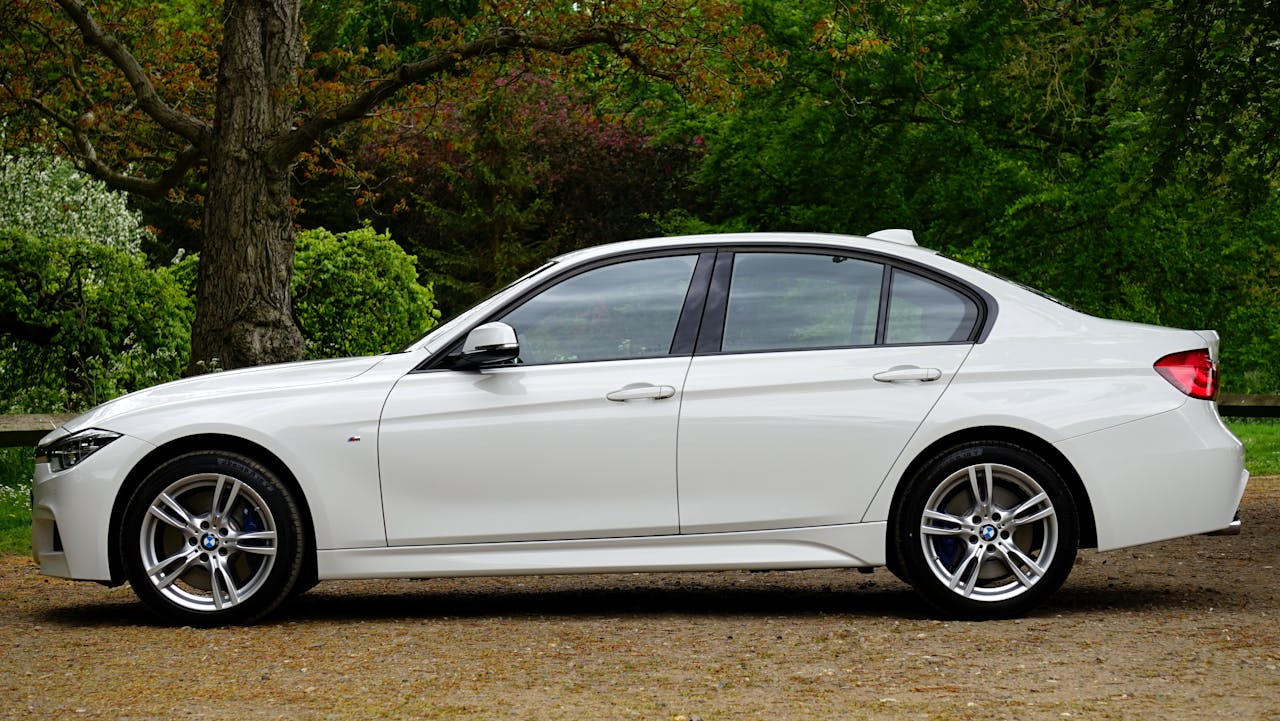
Side profile: Full wheel visibility, clear boundaries for wheel detection.
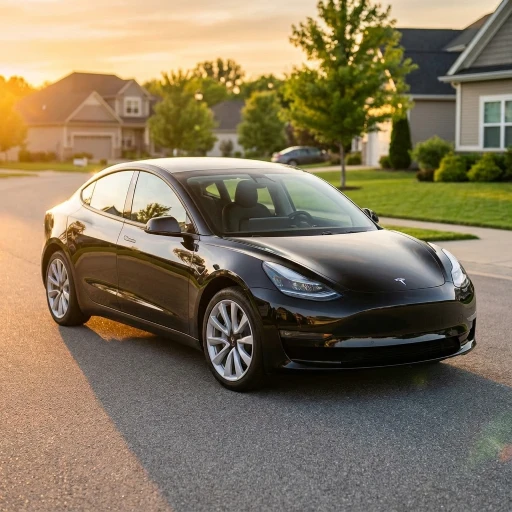
3/4 angle: Shows more car character, still works well for visualization.
Lighting
Getting the light right
Natural daylight
Overcast days are perfect-soft, even lighting without harsh shadows. Early morning or late afternoon sun also works well.
Avoid direct sun
Midday sun creates dark shadows under the car and on wheels. If unavoidable, position so shadows fall away from the camera.
Indoor works too
Garage or showroom shots work fine. Just ensure the wheel area is well-lit and visible.
Quick reference
Do's and don'ts
- Include the full wheel and tire in frame
- Keep the car level (not on a steep slope)
- Use landscape orientation for side shots
- Make sure wheels are clean and visible
- Take multiple angles if unsure
- Crop off part of the wheel or tire
- Use heavily filtered or edited photos
- Shoot in very low light or at night
- Include large obstructions blocking wheels
- Use extremely wide-angle distorted shots
Quick checklist
Common questions
Resolution matters less than you'd think-phone photos work great. What matters more is wheel visibility, lighting, and angle. A clear phone shot beats a blurry DSLR photo.
Absolutely. If you have existing photos of your car that show the wheels clearly, use them. No need to take new photos unless the wheels are obscured or the lighting is poor.
Dirty body panels are fine-the AI focuses on wheel placement. But try to have relatively clean wheels so the AI can see where the current wheel ends and the tire begins.
Showing both front and rear wheels helps the AI render both accurately. Single-wheel shots work but may result in only one wheel being replaced in the preview.
Yes, if the image quality is decent and wheels are visible. Photos from dealership listings, classified ads, or manufacturer websites all work.
Ready to try it?
Now that you know how to take the perfect photo, see how new wheels will look on your car.